
Tetracom…
Push-to-talk walkie-talkie for your phone — with text, options, and location built in.
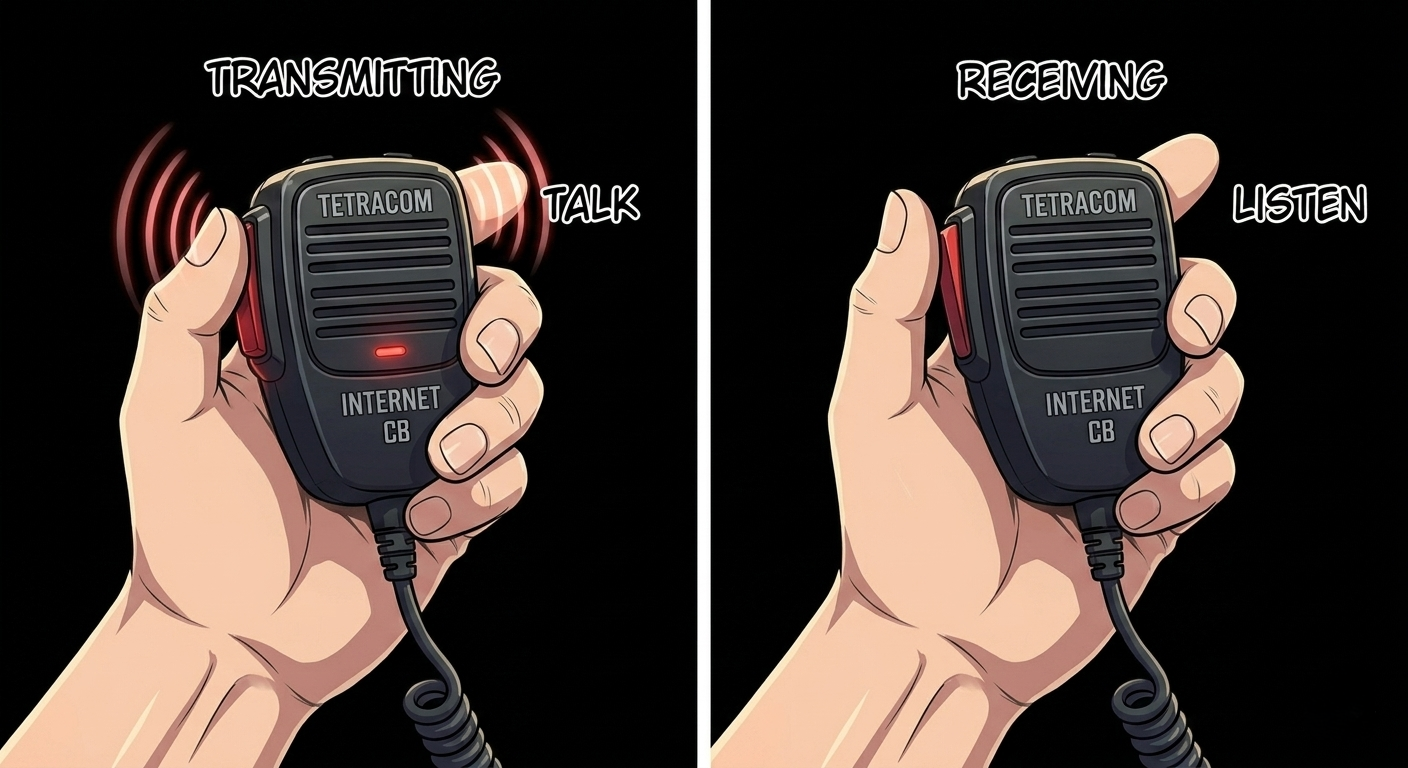
Push-to-talk walkie-talkie for your phone — with text, options, and location built in.
Tetracom is a modern, internet-based replacement for the CB radio. Hold the button, talk for a few seconds, and your voice arrives at the other side, played through their phone's speaker — no ringtone, no voicemail, no group chat back-and-forth. Just a short, fast blurt.
Use it to coordinate with your family at an amusement park, keep in touch with a group on a road trip, or check in with relatives who aren't on mainstream messengers. Build a safety circle of trusted contacts and reach them instantly with one-tap SOS when it matters. Tetracom blurts are end-to-end encrypted for 1:1 conversations and server-relayed for groups and offline recipients.
Three tabs. No thread view, no inbox-zero pressure. Hold the button, talk, let go. The other side hears you through their phone speaker like a walkie-talkie. From the same tabs you can send a written question with tap-to-answer buttons, share your location or open the map, reach a whole group at once, and raise an SOS to your Safety Circle.
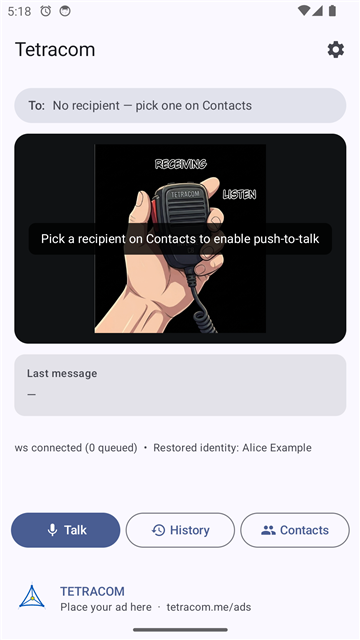
Hold the mic button to transmit. Release to send. The other person hears it out loud.
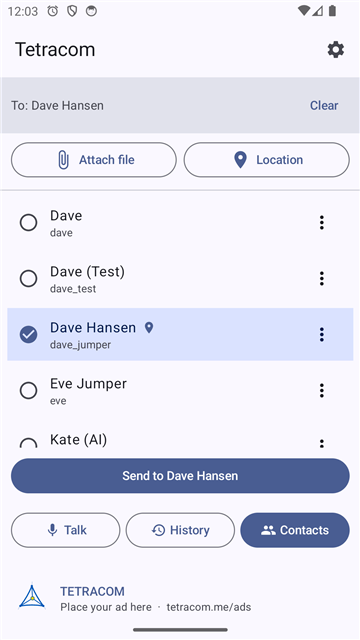
Pick one or many. Fan out to a group with one PTT hold. Send a location.
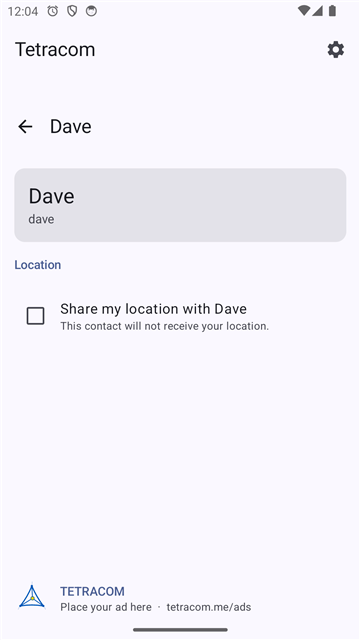
Fine-grained permissions. Grant your location only to the contacts you trust.
Build a circle of trusted contacts, then reach them instantly. The compact SOS button — guarded by an “are you sure?” confirm — sends a private, end-to-end-encrypted alert and your live location to everyone in your circle. Only you can start it; only you can stop it. Optional silent audio evidence is off by default.
Send a plain text message, or a question with tap-to-answer buttons — the reply comes straight back to you. Share your location with one contact or several at once, check your own spot on the in-app map, or open a single “see everyone” map of everyone sharing with you. Prefer to decide each time? Ask every time shares only when you approve the request.
Name a set of contacts — “Family,” “Climb crew” — and reach all of them with one tap; each gets their own private copy. Approve a group you’re added to and Tetracom’s cascade auto-connects you to the members you’re missing. The group and its member list are never stored on a server.
Run Tetracom as the native Android app, or open the Web App at tetracom.me/app and install it to your home screen or desktop — on iPhone, Android, or any computer. Same encrypted voice, text, options, location, groups, and SOS, over any network on port 443.
Help: Features overview · Where am I? (in-app map) · Messages & options · Groups · SOS & safety circle · Location requests
Available in the United States. Other regions coming as they launch.
The Web App installs on any phone, tablet, or computer — it’s the way to run Tetracom on iPhone and desktop. On Android you can also install the native APK. See the install page for step-by-step instructions on every platform. During the prototype there is no Play Store listing yet; native Windows and iOS clients are planned.
Tetracom lets you reach users as they walk into your geogrid — a bar in the French Quarter during Mardi Gras, an airport concourse, a stadium, a festival, a mall. Your account sends an introductory voice or text blurt; the user sees your branded message only when they have opted in to receive location-based offers.
Tetracom is opt-in for location-based business messages. Users choose to receive them; they can block any business instantly. Business accounts are verified and rate-limited. Tetracom excludes under-18 users from all business targeting. US launch only; we expand jurisdictions as we verify compliance in each market.
Business-account onboarding is opening in a separate portal in the prototype phase. Fill in the form below and we'll follow up from ads@tetracom.me. Prefer email? Write to us directly.
Tetracom exposes a small HTTP + WebSocket API for registered client apps. During the prototype the base URL is plain http://; production will use HTTPS on port 443. See /api/health for server status.
POST /api/register
· GET /api/users/:userid
· GET /api/users
· POST /api/blurts
· WS /ws?userid=…